Transform Your Data
with an AI-First ETL Tool
Roboshift is an ETL tool for data transformations that intelligently enriches, and analyzes your data from one static form to another. Go from raw CSVs to analysis-ready insights in minutes.
Schedule a Demo


Analysis-ready Data Insights

Chat with Your Data

Customizable Business Rules

Real-Time Validation

How It Works
No clicking and dragging, no repetitive busy work.


Step 1
Upload Your Data
Connect your static source data (CSV, XLS, JSON).

Step 3
Run & Export
Execute the transformation and get clean, structured data in your desired format (Payroll CSV, database schema, etc.).

Step 4
Review and Update
Check Results and work with Roboshift to make changes

Step 5
Deploy on Real Data
Execute Transformations on Actual Data Sets

Step 6
Download and Integrate
Export Code and Integrate with Your Systems
Benefits of Using Roboshift

Speed-up Your Data Processes
Roboshift speeds-up data transformations by automating complex tasks, removing the need for manual clicking and dragging. Experience an easier workflow without repetitive busy work.
Enhance Data Accuracy and Compliance
Ensure your data transformations are accurate and compliant. Roboshift provides a safe and verifiable process that minimizes errors and meets industry standards.
Simplify the Data Processes with Automated Workflows
Automate your data tasks to save valuable time. Roboshift handles the heavy lifting, allowing you to focus on more important aspects of your business.

Reduce Costs on Manual Data Management
Cut down on expenses associated with manual data handling. By automating processes, Roboshift reduces labor costs and increases efficiency.


Armen Sarkisian,
Senior Software Engineer
“Quick, precise, and simple to use—Roboshift is a game-changer for converting tabular data quickly and accurately!”
Features
Roboshift is a secure, easy-to-use ETL tool with verifiable processes that reliably turn data chaos into order.
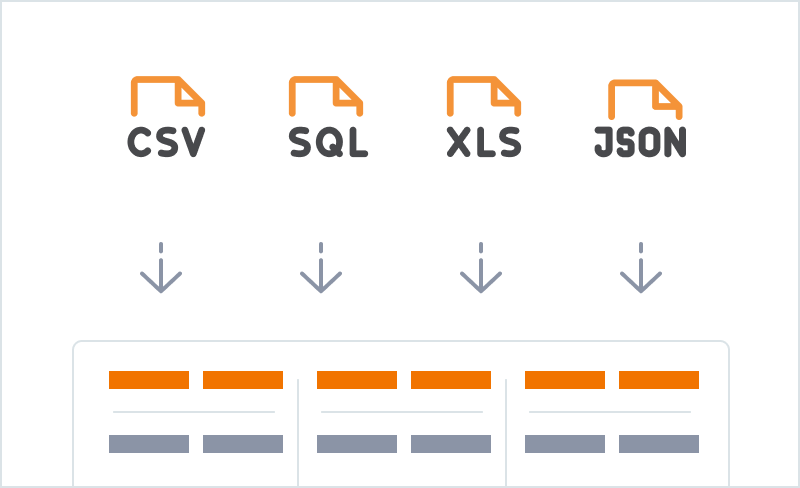
AI-Powered Data Transformations
Transforming data from one static form to another.
Read more

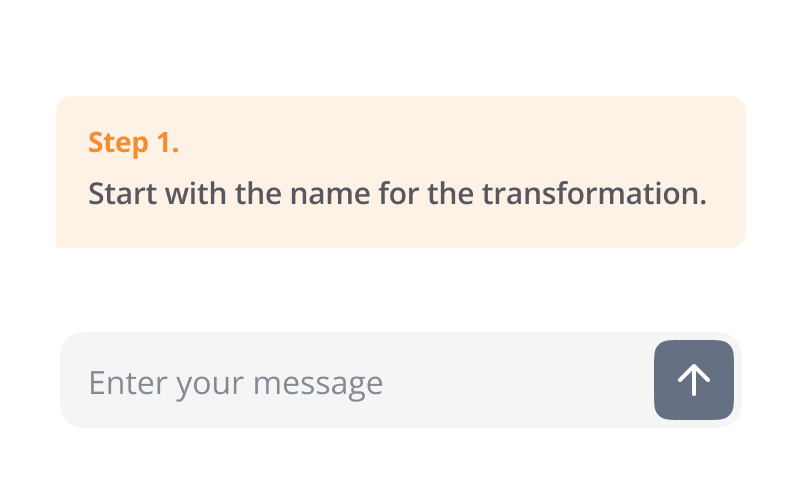
User-Friendly Data Chat
Your on-demand 24/7 data analyst.
Read more
AI Columns
Enrich your data with semantic understanding.
Read more
Deployment & Architecture
Choose cloud or on-prem deployment to keep your ETL and data transformations under control.
See More

Choice 1
Secure Cloud (SaaS)
- Get started in seconds.
- Secure, multi-tenant environment.
- Pay-as-you-go with a monthly license and usage-based credits.
- Managed and updated by us.
Choice 2
On-Premise Installation
- For maximum data control and privacy.
- Install Roboshift in your private cloud or on-prem servers.
- Can be configured to run with offline or open-source models, ensuring your sensitive data never leaves your network.
- Priced with a fixed installation fee and a simple yearly license.
Use Cases

System Migration
Migrating from an old CRM (like a Salesforce export) to a new platform (like Corteza or HubSpot), which requires a totally different data structure.

Marketing & Sales Ops
Consolidating ad spend data from Google Ads, Facebook, and LinkedIn CSV exports into one unified report.

E-commerce
Enriching a product catalog CSV by using AI Columns to automatically write product descriptions or categorize items from an image URL.

HR & Payroll
Transforming a messy, monthly employee data export into the precise CSV format required by your payroll system.
Blog
Insightful articles with practical guidance to make data transformation clear and effective.
Explore All

Using Roboshift for ISO 20022 compliance: a practical guide for companies
August 7, 2025

EU AI Act checklist: building compliant data pipelines before the 2026 enforcement date
August 7, 2025

Top 5 tools for no-code data transformation in 2025
June 17, 2025
FAQ
Everything you need to know
Explore All
What is Roboshift?

Who is Roboshift for?
How does Roboshift work in practice?
What makes Roboshift an AI-first ETL tool?
How can my team try Roboshift?
Get started with Roboshift
– schedule a free demo
Schedule a Demo

How It Works
Features
Deployment & Architecture
Use Cases
Blog
FAQs
Contact Us


© 2026 Roboshift. All rights reserved. Powered by Blocshop

Transform Your Data
with an AI-First ETL Tool
Roboshift is an ETL tool for data transformations that intelligently enriches, and analyzes your data from one static form to another. Go from raw CSVs to analysis-ready insights in minutes.
Schedule a Demo
Analysis-ready Data Insights
Chat with Your Data
Customizable Business Rules
Real-Time Validation
How It Works
No clicking and dragging, no repetitive busy work.

Step 1
Upload Your Data
Connect your static source data (CSV, XLS, JSON).
Step 3
Run & Export
Execute the transformation and get clean, structured data in your desired format (Payroll CSV, database schema, etc.).
Step 4
Review and Update
Check Results and work with Roboshift to make changes
Step 5
Deploy on Real Data
Execute Transformations on Actual Data Sets
Step 6
Download and Integrate
Export Code and Integrate with Your Systems
Benefits of Using Roboshift

Speed-up Your Data Processes
Roboshift speeds-up data transformations by automating complex tasks, removing the need for manual clicking and dragging. Experience an easier workflow without repetitive busy work.
Enhance Data Accuracy and Compliance
Ensure your data transformations are accurate and compliant. Roboshift provides a safe and verifiable process that minimizes errors and meets industry standards.
Simplify the Data Processes with Automated Workflows
Automate your data tasks to save valuable time. Roboshift handles the heavy lifting, allowing you to focus on more important aspects of your business.

Reduce Costs on Manual Data Management
Cut down on expenses associated with manual data handling. By automating processes, Roboshift reduces labor costs and increases efficiency.

“
Armen Sarkisian,
Senior Software Engineer
“Quick, precise, and simple to use—Roboshift is a game-changer for converting tabular data quickly and accurately!”
”
Features
Roboshift is a secure, easy-to-use ETL tool with verifiable processes that reliably turn data chaos into order.
AI-Powered Data Transformations
Transforming data from one static form to another.
Read more
User-Friendly Data Chat
Your on-demand 24/7 data analyst.
Read more
AI Columns
Enrich your data with semantic understanding.
Read more
Deployment & Architecture
Choose cloud or on-prem deployment to keep your ETL and data transformations under control.
See More

Choice 1
Secure Cloud (SaaS)
- Get started in seconds.
- Secure, multi-tenant environment.
- Pay-as-you-go with a monthly license and usage-based credits.
- Managed and updated by us.
Choice 2
On-Premise Installation
- For maximum data control and privacy.
- Install Roboshift in your private cloud or on-prem servers.
- Can be configured to run with offline or open-source models, ensuring your sensitive data never leaves your network.
- Priced with a fixed installation fee and a simple yearly license.
Use Cases

System Migration
Migrating from an old CRM (like a Salesforce export) to a new platform (like Corteza or HubSpot), which requires a totally different data structure.

Marketing & Sales Ops
Consolidating ad spend data from Google Ads, Facebook, and LinkedIn CSV exports into one unified report.

E-commerce
Enriching a product catalog CSV by using AI Columns to automatically write product descriptions or categorize items from an image URL.

HR & Payroll
Transforming a messy, monthly employee data export into the precise CSV format required by your payroll system.
Blog
Insightful articles with practical guidance to make data transformation clear and effective.
Explore All
Using Roboshift for ISO 20022 compliance: a practical guide for companies
August 7, 2025
EU AI Act checklist: building compliant data pipelines before the 2026 enforcement date
August 7, 2025
Top 5 tools for no-code data transformation in 2025
June 17, 2025
FAQ
Everything you need to know
Explore All
What is Roboshift?
Who is Roboshift for?
How does Roboshift work in practice?
What makes Roboshift an AI-first ETL tool?
How can my team try Roboshift?
Get started with Roboshift
– schedule a free demo
Schedule a Demo

How It Works
Features
Deployment & Architecture
Use Cases
Blog
FAQs
Contact Us

© 2026 Roboshift. All rights reserved. Powered by Blocshop

Transform Your Data
with an AI-First ETL Tool
Roboshift is an ETL tool for data transformations that intelligently enriches, and analyzes your data from one static form to another. Go from raw CSVs to analysis-ready insights in minutes.
Schedule a Demo

Analysis-ready Data Insights
Chat with Your Data
Customizable Business Rules
Real-Time Validation
How It Works
No clicking and dragging, no repetitive busy work.

Step 1
Upload Your Data
Connect your static source data (CSV, XLS, JSON).

Step 2
Describe Your Data
Step 3
Run & Export
Execute the transformation and get clean, structured data in your desired format (Payroll CSV, database schema, etc.).
Step 4
Review and Update
Check Results and work with Roboshift to make changes
Step 5
Deploy on Real Data
Execute Transformations on Actual Data Sets
Step 6
Download and Integrate
Export Code and Integrate with Your Systems
Benefits of Using Roboshift
Speed-up Your Data Processes
Roboshift speeds-up data transformations by automating complex tasks, removing the need for manual clicking and dragging. Experience an easier workflow without repetitive busy work.
Enhance Data Accuracy and Compliance
Ensure your data transformations are accurate and compliant. Roboshift provides a safe and verifiable process that minimizes errors and meets industry standards.
Simplify the Data Processes with Automated Workflows
Automate your data tasks to save valuable time. Roboshift handles the heavy lifting, allowing you to focus on more important aspects of your business.
Reduce Costs on Manual Data Management
Cut down on expenses associated with manual data handling. By automating processes, Roboshift reduces labor costs and increases efficiency.

“
Armen Sarkisian,
Senior Software Engineer
“Quick, precise, and simple to use—Roboshift is a game-changer for converting tabular data quickly and accurately!”
”
Features
Roboshift is a secure, easy-to-use ETL tool with verifiable processes that reliably turn data chaos into order.
AI-Powered Data Transformations
Transforming data from one static form to another.
Read more
User-Friendly Data Chat
Your on-demand 24/7 data analyst.
Read more
AI Columns
Enrich your data with semantic understanding.
Read more

Deployment & Architecture
Choose cloud or on-prem deployment to keep your ETL and data transformations under control.
See More
Choice 1
Secure Cloud (SaaS)
- Get started in seconds.
- Secure, multi-tenant environment.
- Pay-as-you-go with a monthly license and usage-based credits.
- Managed and updated by us.
Choice 2
On-Premise Installation
- For maximum data control and privacy.
- Install Roboshift in your private cloud or on-prem servers.
- Can be configured to run with offline or open-source models, ensuring your sensitive data never leaves your network.
- Priced with a fixed installation fee and a simple yearly license.
Use Cases
System Migration
Migrating from an old CRM (like a Salesforce export) to a new platform (like Corteza or HubSpot), which requires a totally different data structure.
Marketing & Sales Ops
Consolidating ad spend data from Google Ads, Facebook, and LinkedIn CSV exports into one unified report.

E-commerce
Enriching a product catalog CSV by using AI Columns to automatically write product descriptions or categorize items from an image URL.
HR & Payroll
Transforming a messy, monthly employee data export into the precise CSV format required by your payroll system.
Blog
Insightful articles with practical guidance to make data transformation clear and effective.
Explore All
Using Roboshift for ISO 20022 compliance: a practical guide for companies
August 7, 2025
EU AI Act checklist: building compliant data pipelines before the 2026 enforcement date
August 7, 2025
Top 5 tools for no-code data transformation in 2025
June 17, 2025
FAQ
Everything you need to know
Explore All
What is Roboshift?
Who is Roboshift for?
How does Roboshift work in practice?
What makes Roboshift an AI-first ETL tool?
How can my team try Roboshift?
Get started with Roboshift
– schedule a free demo
Schedule a Demo
How It Works
Features
Deployment & Architecture
Use Cases
Blog
FAQs
Contact Us


© 2026 Roboshift. All rights reserved. Powered by Blocshop
Transform Your Data
with an AI-First ETL Tool
Roboshift is an ETL tool for data transformations that intelligently enriches, and analyzes your data from one static form to another. Go from raw CSVs to analysis-ready insights in minutes.
Schedule a Demo

Analysis-ready Data Insights
Chat with Your Data
Customizable Business Rules
Real-Time Validation
How It Works
No clicking and dragging, no repetitive busy work.

Step 1
Upload Your Data
Connect your static source data (CSV, XLS, JSON).
Step 2
Describe Your Data
Step 3
Run & Export
Execute the transformation and get clean, structured data in your desired format (Payroll CSV, database schema, etc.).
Step 4
Review and Update
Check Results and work with Roboshift to make changes
Step 5
Deploy on Real Data
Execute Transformations on Actual Data Sets
Step 6
Download and Integrate
Export Code and Integrate with Your Systems
Benefits of Using Roboshift

Speed-up Your Data Processes
Roboshift speeds-up data transformations by automating complex tasks, removing the need for manual clicking and dragging. Experience an easier workflow without repetitive busy work.
Enhance Data Accuracy and Compliance
Ensure your data transformations are accurate and compliant. Roboshift provides a safe and verifiable process that minimizes errors and meets industry standards.
Simplify the Data Processes with Automated Workflows
Automate your data tasks to save valuable time. Roboshift handles the heavy lifting, allowing you to focus on more important aspects of your business.

Reduce Costs on Manual Data Management
Cut down on expenses associated with manual data handling. By automating processes, Roboshift reduces labor costs and increases efficiency.

“
Armen Sarkisian,
Senior Software Engineer
“Quick, precise, and simple to use—Roboshift is a game-changer for converting tabular data quickly and accurately!”
”
Features
Roboshift is a secure, easy-to-use ETL tool with verifiable processes that reliably turn data chaos into order.
AI-Powered Data Transformations
Transforming data from one static form to another.
Read more
User-Friendly Data Chat
Your on-demand 24/7 data analyst.
Read more
AI Columns
Enrich your data with semantic understanding.
Read more
Deployment & Architecture
Choose cloud or on-prem deployment to keep your ETL and data transformations under control.
See More

Choice 1
Secure Cloud (SaaS)
- Get started in seconds.
- Secure, multi-tenant environment.
- Pay-as-you-go with a monthly license and usage-based credits.
- Managed and updated by us.
Choice 2
On-Premise Installation
- For maximum data control and privacy.
- Install Roboshift in your private cloud or on-prem servers.
- Can be configured to run with offline or open-source models, ensuring your sensitive data never leaves your network.
- Priced with a fixed installation fee and a simple yearly license.
Use Cases
System Migration
Migrating from an old CRM (like a Salesforce export) to a new platform (like Corteza or HubSpot), which requires a totally different data structure.
Marketing & Sales Ops
Consolidating ad spend data from Google Ads, Facebook, and LinkedIn CSV exports into one unified report.
E-commerce
Enriching a product catalog CSV by using AI Columns to automatically write product descriptions or categorize items from an image URL.
HR & Payroll
Transforming a messy, monthly employee data export into the precise CSV format required by your payroll system.
Blog
Insightful articles with practical guidance to make data transformation clear and effective.
Explore All
Using Roboshift for ISO 20022 compliance: a practical guide for companies
August 7, 2025
EU AI Act checklist: building compliant data pipelines before the 2026 enforcement date
August 7, 2025
Top 5 tools for no-code data transformation in 2025
June 17, 2025
FAQ
Everything you need to know
Explore All
What is Roboshift?
Who is Roboshift for?
How does Roboshift work in practice?
What makes Roboshift an AI-first ETL tool?
How can my team try Roboshift?
Get started with Roboshift
– schedule a free demo
Schedule a Demo
How It Works
Features
Deployment & Architecture
Use Cases
Blog
FAQs
Contact Us

© 2026 Roboshift. All rights reserved. Powered by Blocshop